
Getting Started with SciSpace: A Guide for New Users
TL;DR
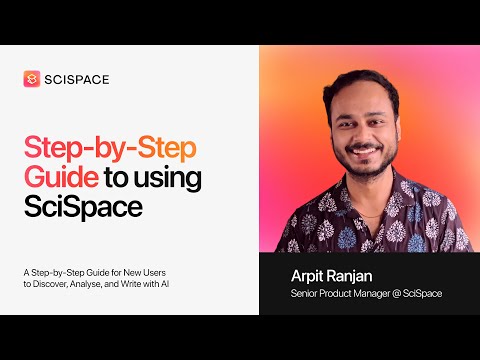
1-min readThis onboarding tutorial, led by Arpit Kumar Ranjan, Senior Product Manager at SciSpace, introduces the platform and tours its major tools and features guided. It is designed for new subscribers, existing users who want a refresher, and teams that want to use SciSpace more consistently, and it ends with a live Q&A with the team.
Key takeaways
- An overview of the platform shows how its main areas fit together, so you know where each tool sits and which one suits a given task.
- A guided tour of the major tools and features takes up most of the tutorial, reducing the time you would otherwise spend exploring menus on your own.
- Practical productivity tips and the common pitfalls new users run into are covered, helping you avoid mistakes early.
- A good first step after signing up is to work on a real task from your current project, explore one or two core tools in depth and save useful papers to your library.
- The tutorial shows how to fit SciSpace into your existing research workflow rather than rebuilding your process around a new tool.
- Teams can get more consistent results by agreeing on shared practices, such as how papers are organised and which tools are used for which tasks, and can raise specific setup questions in the live Q&A.
To apply this, pick one task from your current project, complete it in SciSpace using the tools shown in the tour, and expand to other features as you see what saves time.
How to do it
Get an overview of the platform
Start by learning how SciSpace's main areas fit together. An overview is the quickest way to learn how to use SciSpace.
Tour the major tools guided
Open each major tool in turn and try it on your own research. Hands-on use builds familiarity faster than reading about features.
Apply productivity tips
Use productivity tips and avoid the common pitfalls new users face. This helps you work faster from the start.
Fit SciSpace into your workflow
Decide where SciSpace fits into your existing research workflow. This turns features into a routine.
Coordinate use across your team
If you work in a team, agree on how everyone uses the platform. Consistent use streamlines collaboration.
Watch the tutorial34 min
Chapters
- Welcome and agenda
- Why use SciSpace instead of ChatGPT or Perplexity for research?
- How to streamline research workflows: AI tools for each research stage
- How to do an AI literature review in SciSpace
- How to compare research papers side by side with custom columns
- Paper podcast summaries and Request PDF for papers without full text
- Save papers to your library and get top-10 paper insights
- What is SciSpace Deep Review and how is it different?
- How to chat with a research paper PDF using SciSpace Copilot
- How to upload your own PDFs and chat with them
- How to write an essay with SciSpace AI Writer
- How to add citations from your library and export to Word
- How to use the SciSpace paraphrase tool for academic writing
- How to generate a citation from a URL or plain text
- How to check if text is AI-written with the AI detector
- SciSpace AI Agent: find papers, summarize, write LaTeX essay and poster
- What is an AI research agent?
- Getting started with SciSpace: which tools to try first
Try this on SciSpace
Literature Review Generator
Open agent →Paper Summarizer
Open agent →Literature Review Matrix
Open agent →
Frequently asked questions
Is SciSpace suitable for beginners?
Yes. SciSpace is designed so that students and researchers can start with plain-language questions and uploaded papers without technical setup. A guided tour like this tutorial helps you learn where each tool sits and which one suits a task, so you spend less time exploring menus and more time on your research.
What should I do first after signing up for SciSpace?
Start with a real task from your current project, such as finding papers on your topic or reading a key article. Explore one or two core tools in depth rather than everything at once, save useful papers to your library, and note which features save you the most time before expanding further.
Can research teams use SciSpace together?
This tutorial is also aimed at teams who want to streamline how they use the platform. Agreeing on shared practices, such as how papers are organised and which tools are used for which tasks, helps a group get consistent results. Questions about specific team setups can be raised during the live Q&A segment.
Related tutorials
- ENTutorial
Using SciSpace AI in Research with Rigor and Integrity
Marija Đukić shows where SciSpace fits across a research workflow and which safeguards keep AI-assisted work verifiable and transparent.
- ENTutorial
Getting Started with SciSpace: A Complete Walkthrough for New Users
A beginner-friendly tour of the core SciSpace features for finding, reading and working with research papers, plus common mistakes to avoid.
 EN45 minTutorial
SciSpace Agent Prompting Tutorial: Write Better Research Prompts
Learn to write precise SciSpace Agent prompts that return structured, cited answers while using fewer credits.